
Time to Stretch Those Targets
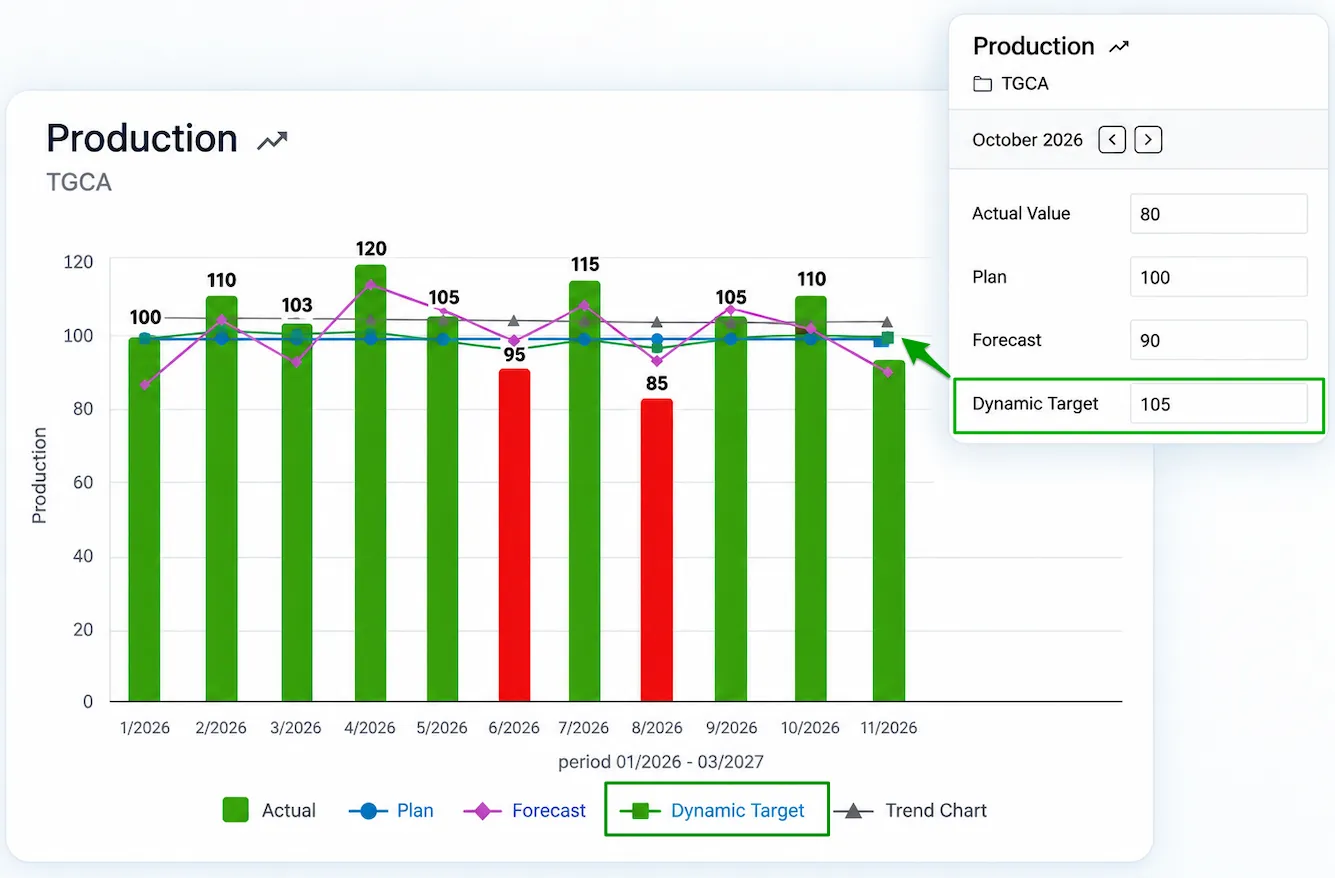
Static, Stretched, or Dynamic? Your targets now have more room to move! With our latest enhancement, you can compare actual performance against an additional reference point, alongside your existing plan and forecast. Simply add a 4th comparison field and give it a name that fits your needs!
Project Hierarchy: All Projects, One Clear View
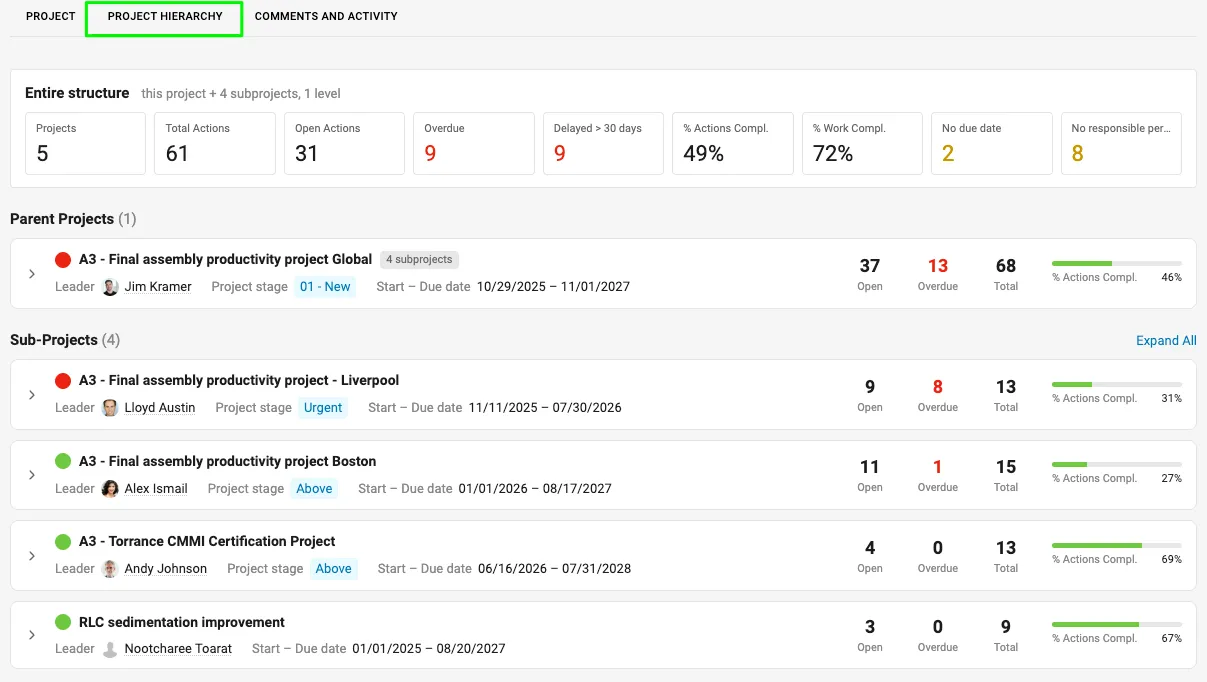
Stay on top of your projects with the new Project Hierarchy tab in Action Lists. Get a clear overview of progress across your project and all its subprojects, quickly spot overdue actions or missing deadlines and owners, and expand any subproject to dive into the details. Everything you need to stay in control, all in one place.
More Widgets, More Personalized Views of Your Day
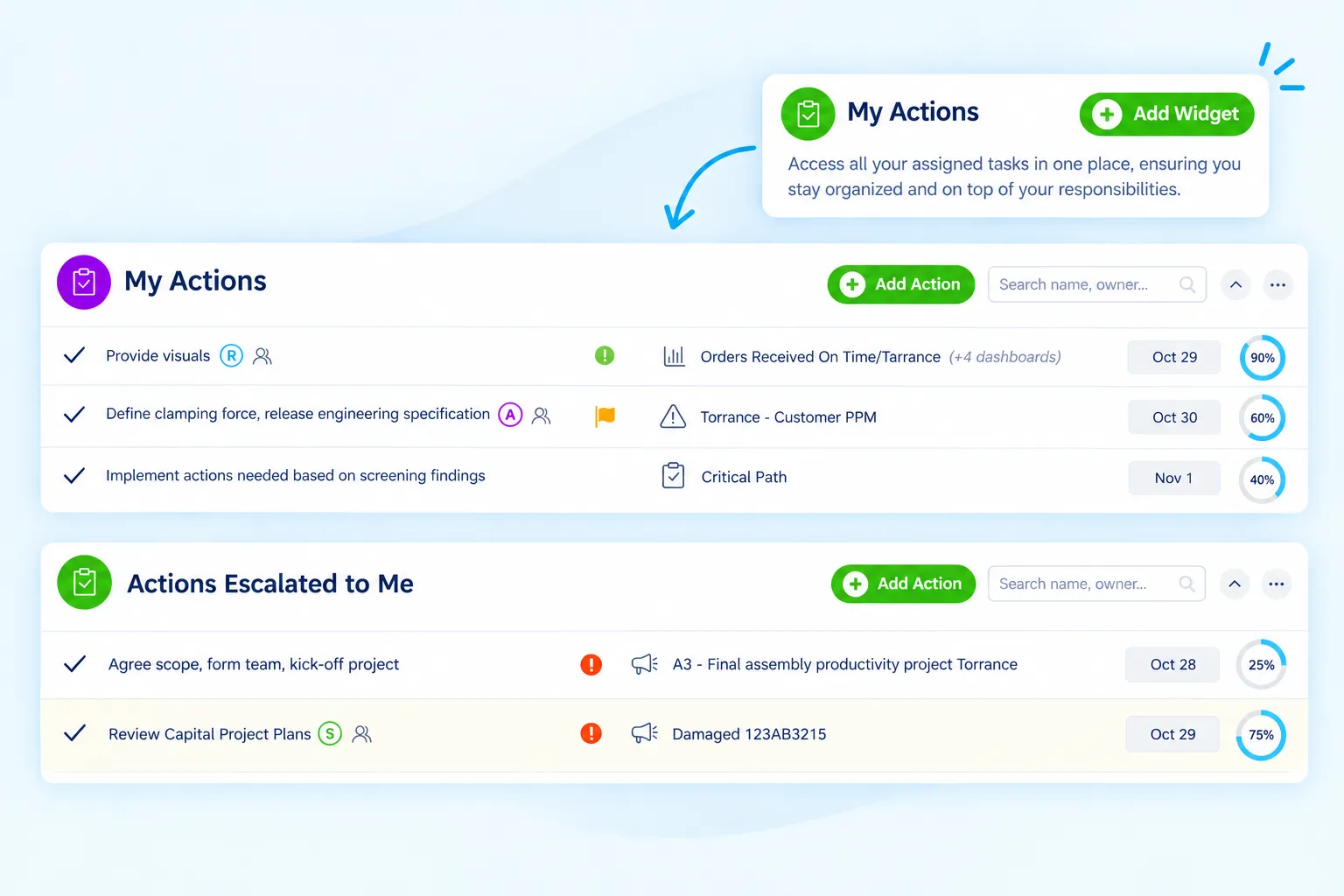
Customize your Dashboard page by adding multiple My Actions and other widgets, each tailored to your selected criteria. Rename each widget to clearly reflect its purpose, such as Actions Escalated to Me, and keep your most relevant information organized and easily accessible.
Dynamic User Groups That Do the Work for You
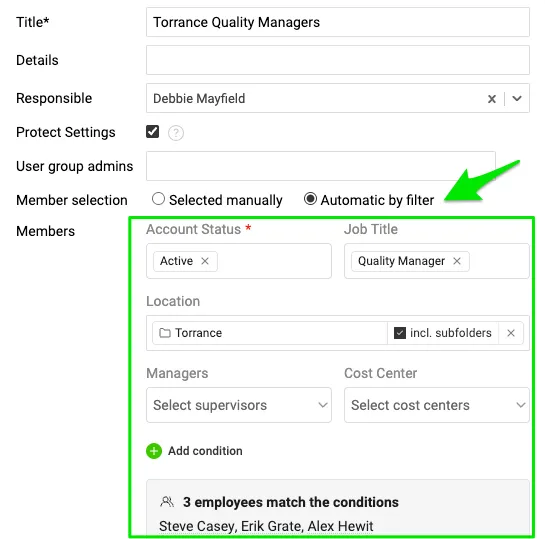
One less thing to manage! With the new dynamic automatic filter, you can define User Group members based on criteria such as Location, Status, and more. As user settings change, group membership updates automatically in real time, keeping assignments such as Responsible users and Document administrators up to date. Set it once, and let the system do the rest!
Actions: Your Preferred Filters, Set by Default!
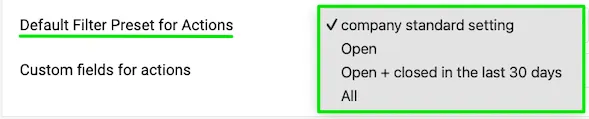
Start with the actions you want to see! Instead displaying only open actions, you can now customize the default filter settings to match your needs. Define your preferred filters in the Action List template or have them configured system-wide for a consistent view. Less filtering, more focus on what matters!
Zoom In, See More: A New Feature for Report Widgets
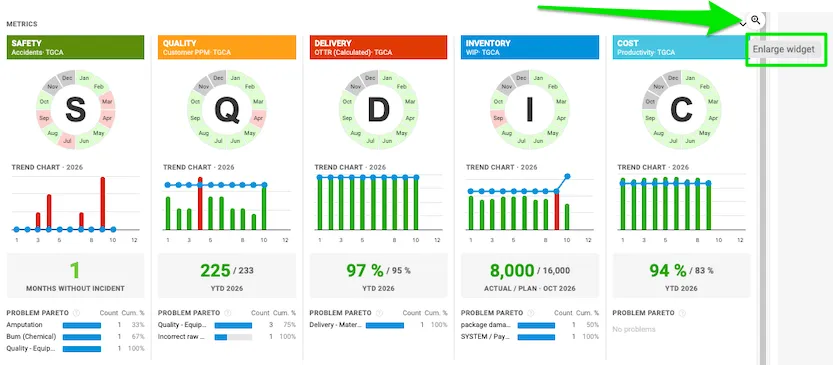
Need a closer look? With the new Zoom In feature, you can enlarge any widget directly on your Report slide with just one click. Available even in Play mode, this enhancement makes it easier to explore charts, review data, and focus on the details that matter most—all without leaving your slide.
Are you ready to give these enhancements a try?
Our team is ready to answer your questions or assist whenever you need it.
About the author

Kate Apking
Customer Success Enthusiast at TeamGuru. Kate works closely with teams using TeamGuru in their day-to-day management and writes about leadership, adoption, and management best practices.