
Locking your Metrics Data
 Zdeňka Kadaňková · June 11, 2016
TeamGuru News
Zdeňka Kadaňková · June 11, 2016
TeamGuru News

Do you need a stronger control over your metrics data? You can use the new Protect metric function now available in the metric Basic Settings area. Changes of metrics values will be allowed to the metric administrators only. 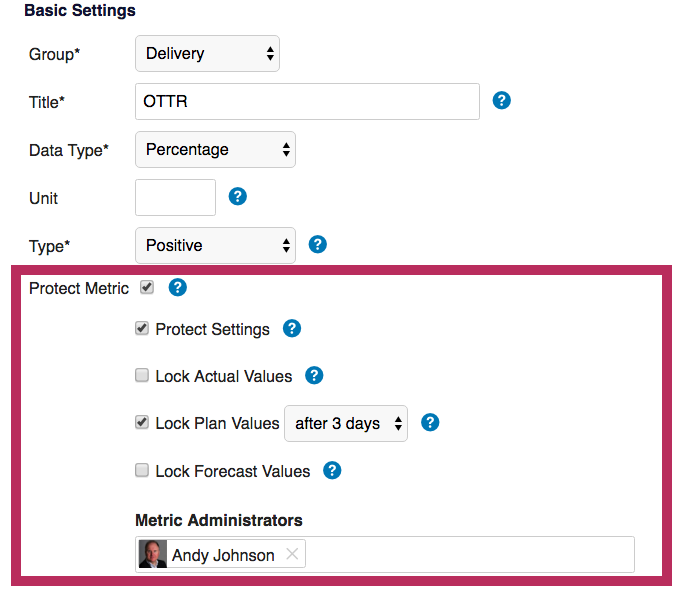
The metric will be locked completely with no option for manual data entry by the unauthorized users.
The data can either be locked immediately or after a predefined period, which means there will be no data changes of previous periods without your control anymore…
Related Articles
Reviewed by Pavel Humlicek
Co-founder & CEO of TeamGuru, with a background in Lean management consulting. Pavel reviews TeamGuru's management-system and operational-excellence content for practical accuracy and applicability.