
@Mentions in Dashboard's Comments
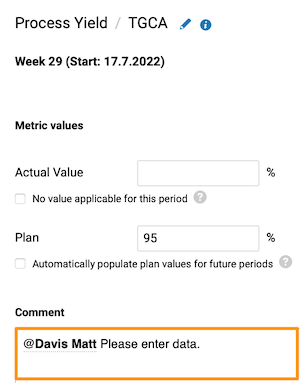
You can now mention your colleagues' names in the data entry comment field to drive their attention.
They will be notified by TG notification & by email with a live link.

Copy Your Personal LSW
Do you need to easily copy your Leadership Standardized Work document to another team member(s)?
Just hit 'COPY' in the settings, choose the user's name & replace the tasks responsible.
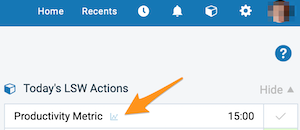
Don't forget to link your tasks with the related metric/object and manage it from your 'Today's LSW Actions' section.
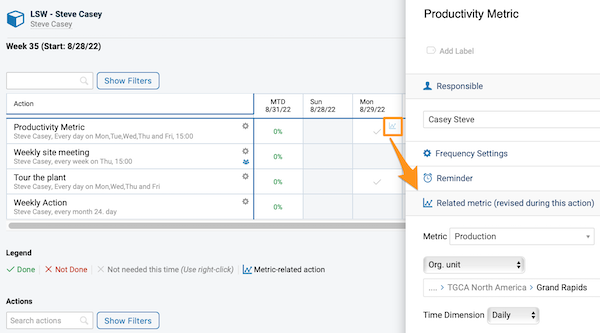
Please note: Predefined task settings will also be included.
Sort Data According to a Metric Value
Would you like to view data tied to a certain metric in your dashboard?
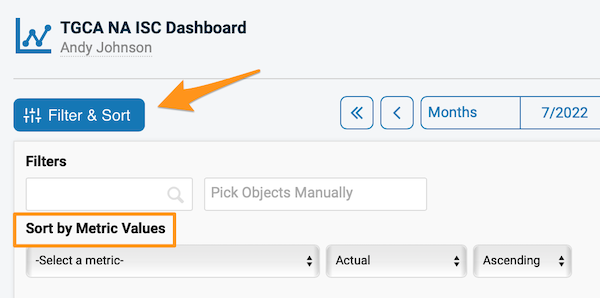
Besides the Metric dashboard filters, now you can also use an option to sort your data by the metric value.
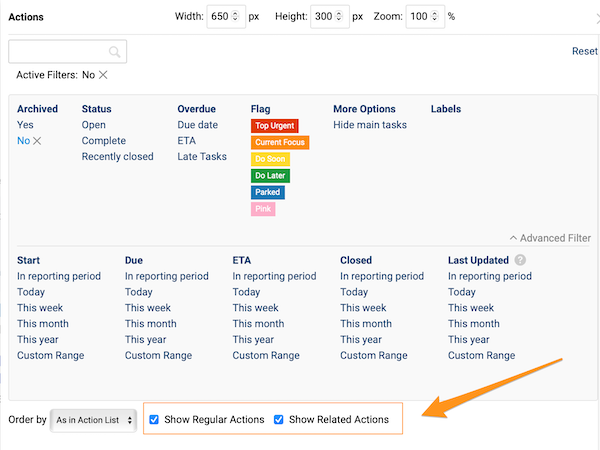
Show Related Actions in the Actions Widget
Would you like to display Related Actions in your Report?
Now you have a choice to include Regular actions, Related Actions, or both.
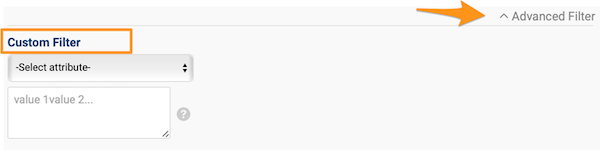
Advanced Filter in Users List
The recently added user mass management functionality is now supported by a new filter, including EID number, TG system ID, emails, and login.
Just select the attribute and enter the list of values below.
* System administrative rights required
Are you ready to give any of these enhancements a try?
About the author

Eva Strapková
Digital operations consultant. Eva writes about digital operations, TeamGuru product developments, and how organizations put new capabilities into practice.