Hoshin Kanri works when the whole organization pulls in the same direction. In practice that means one strategy cascaded through many X-matrices: the company plan at Level 1, then a plan for every business unit, plant or line underneath it.
Until now, getting objectives from one X-matrix into another meant copying them. That was fine on day one, but strategy evolves. When leadership reworded an annual objective, someone had to find every lower-level X-matrix and fix the same text by hand. Sooner or later, the levels drifted apart.
With linked objectives, an objective is written once and used wherever it is needed.
What’s new
Copy or import objectives between any X-matrices
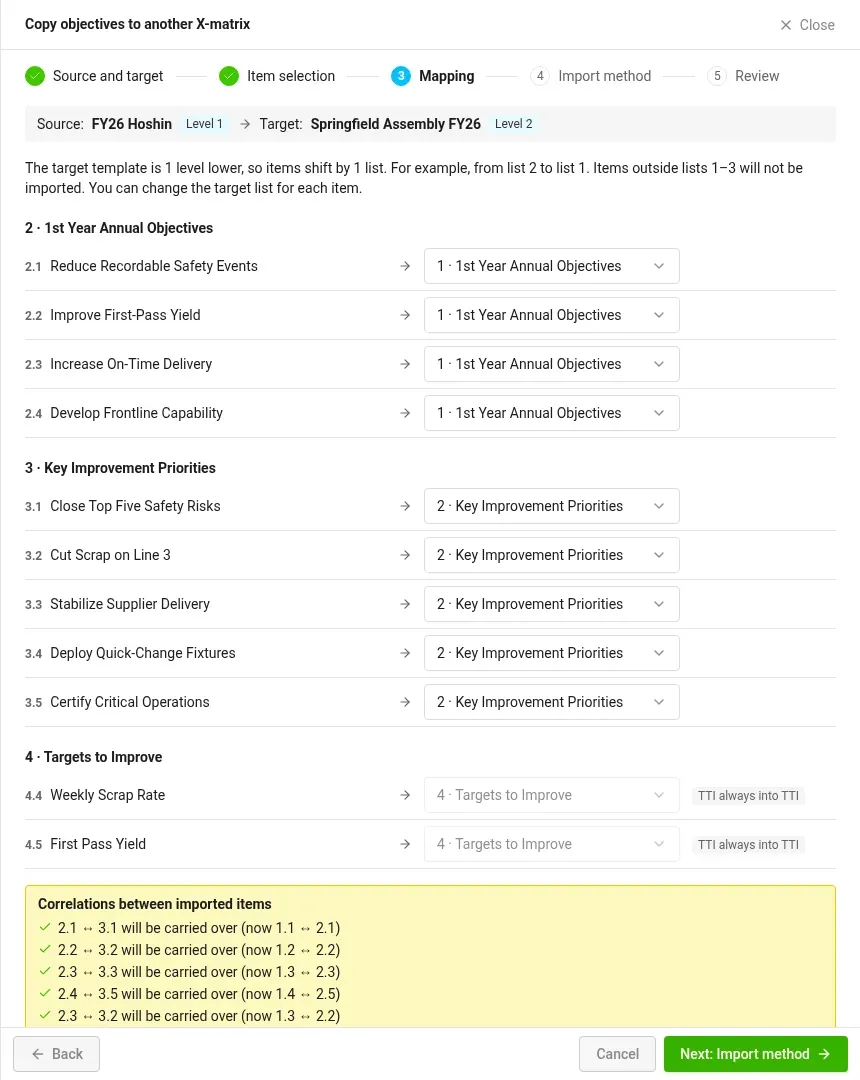
Two new actions in the … menu of every X-matrix open a step-by-step wizard:
- Copy objectives to another X-matrix… pushes objectives from the X-matrix you are in to a brand-new X-matrix or to an existing one on the same or a lower level.
- Import objectives from another X-matrix… pulls objectives into the X-matrix you are in.
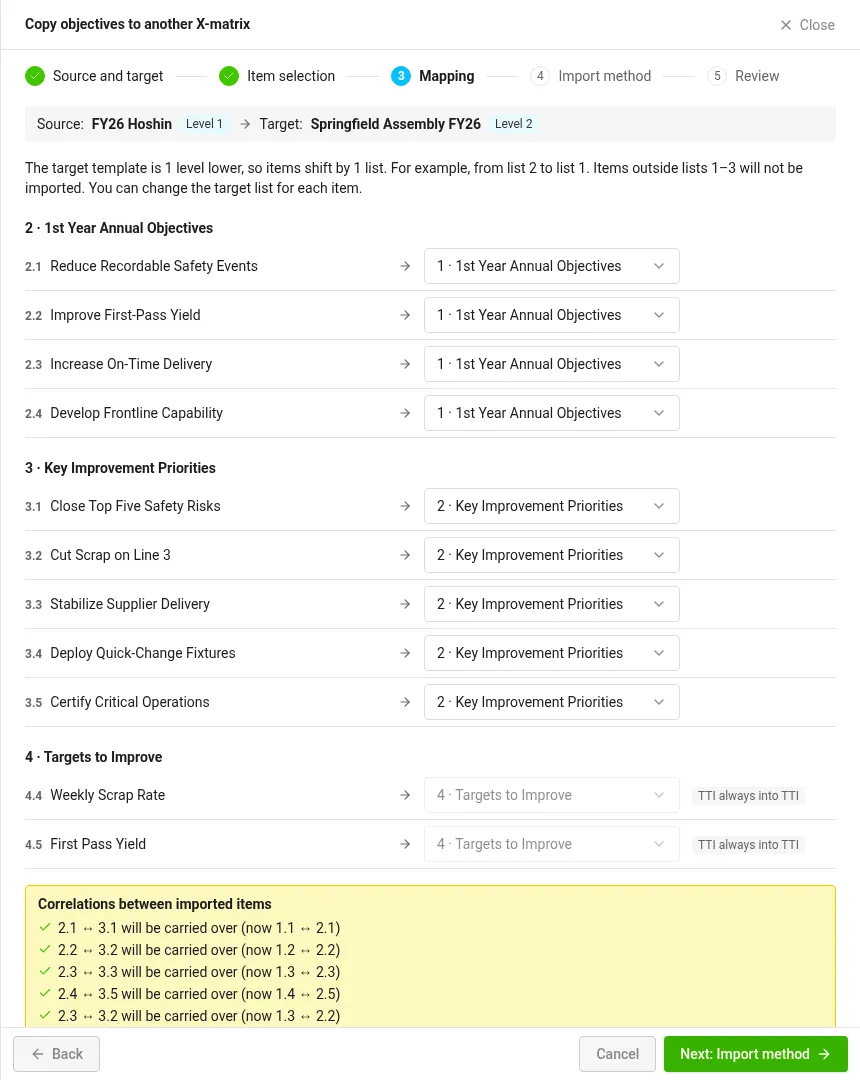
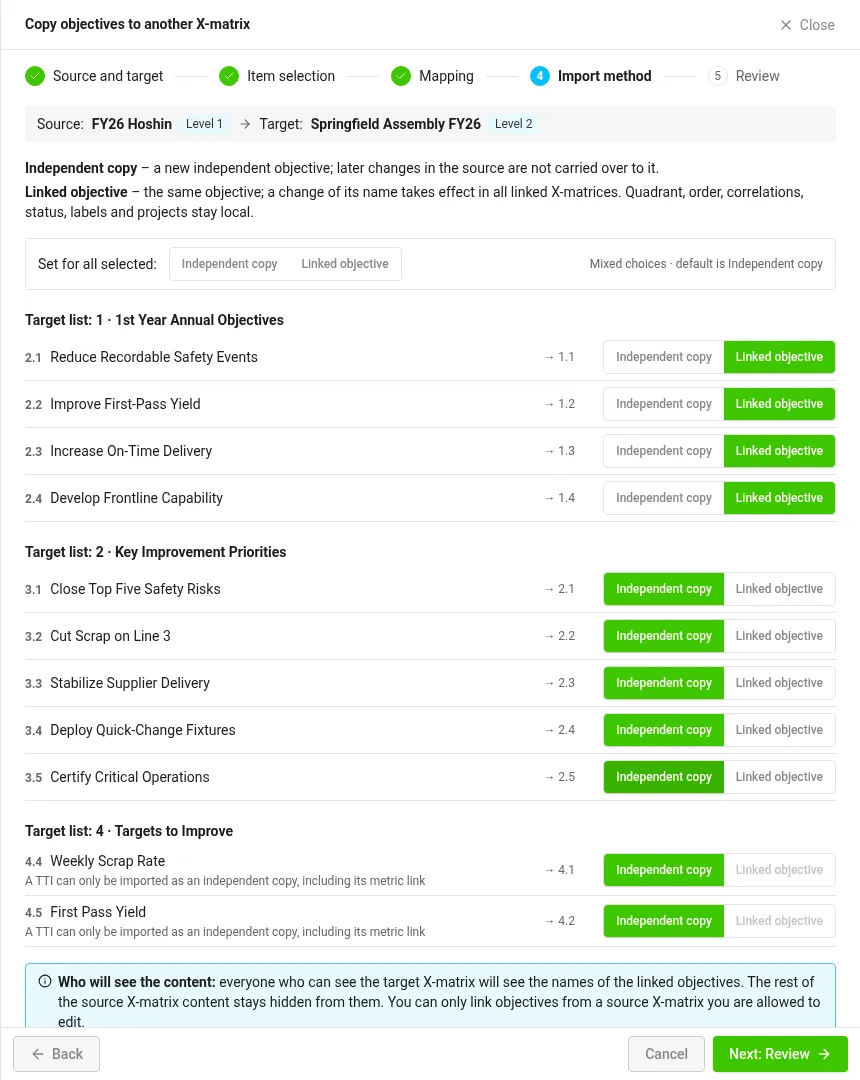
You pick exactly which items to take over. No more copying the whole matrix and deleting what you don’t need. TeamGuru proposes where each item belongs based on the template levels (the annual objectives of a Level 1 X-matrix, for example, become the annual objectives of Level 2), and you can change the target list for any item. Correlations between the items you take over are carried along, and the wizard shows up front which ones will and won’t be carried over, and why.
Independent copy or linked objective: your choice
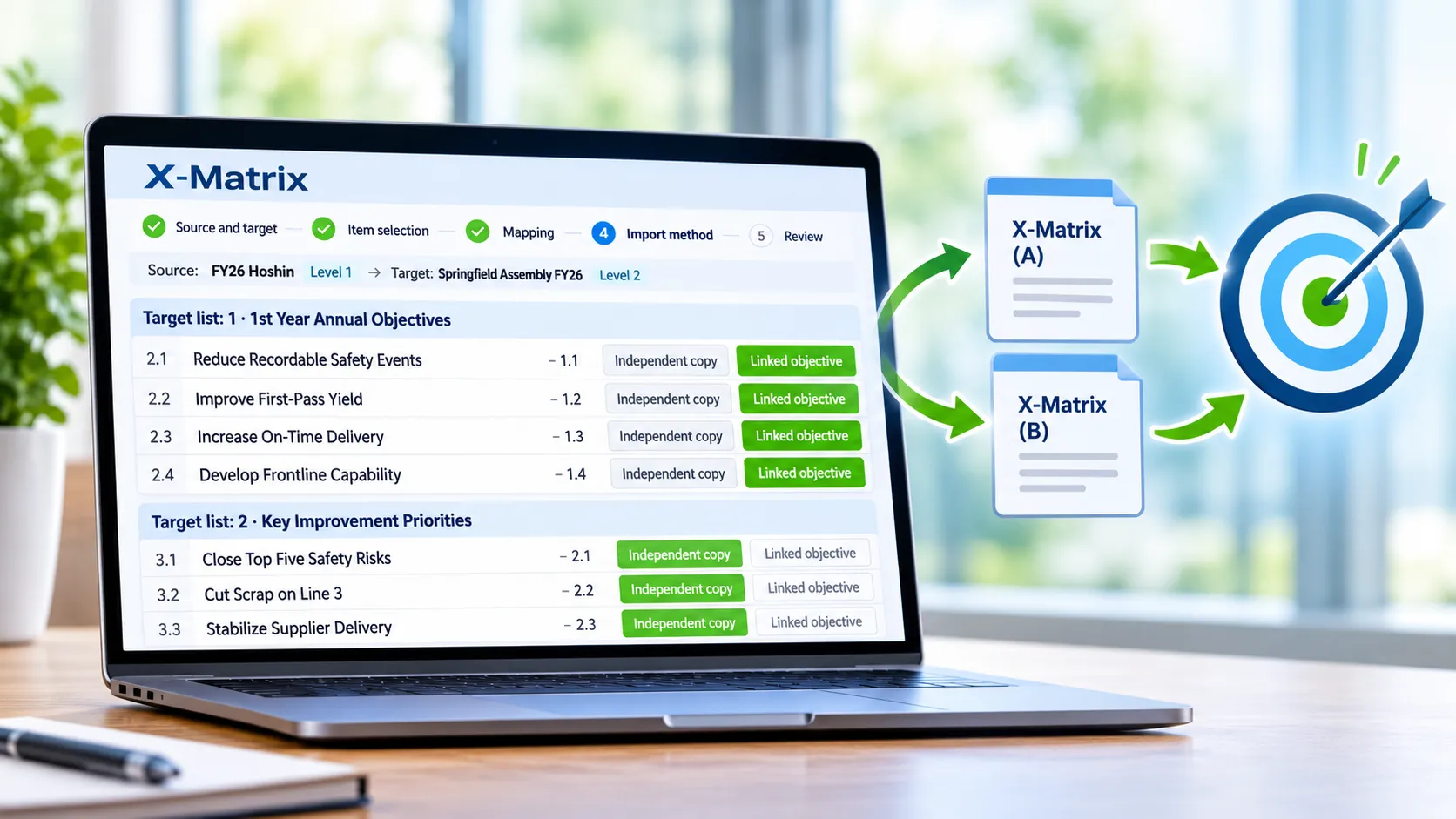
For every objective you decide how it should be taken over:
- Independent copy is a new, separate objective. Later changes in the source don’t affect it.
- Linked objective is the same objective. Rename it, and the new name shows up in every linked X-matrix.
Linking shares the name only. Each X-matrix keeps its own quadrant, order, correlations, status, labels and projects for the objective. A plant can attach its own priorities and projects to a company objective without touching the company X-matrix.
Connect the copies you already have
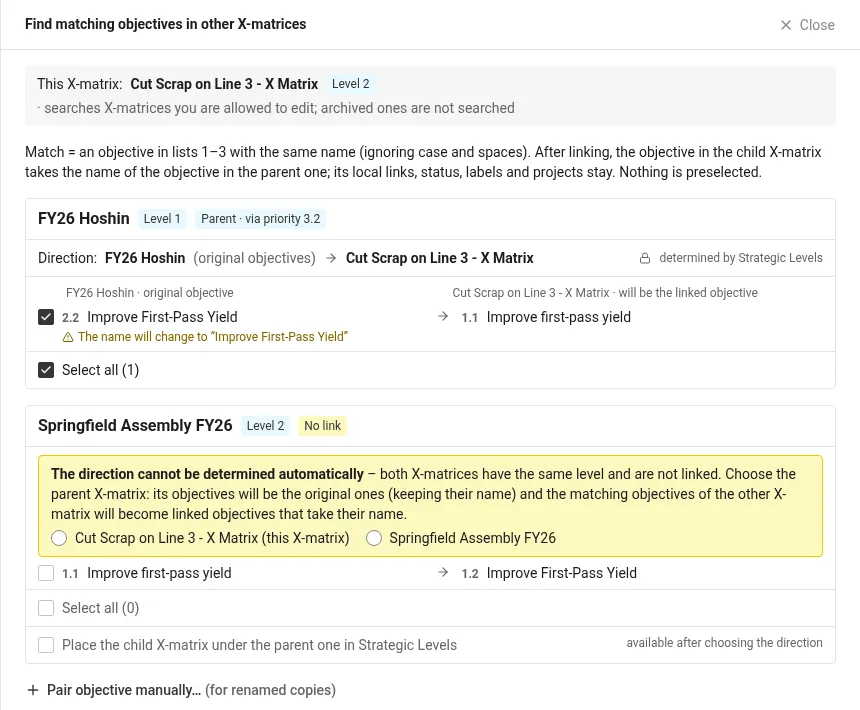
Many of you have been cascading strategy by copying X-matrices for years. Find matching objectives in other X-matrices… finds objectives with the same name in the X-matrices you can edit and links them in one go, with their existing projects, correlations and status. Copies that were renamed along the way can be paired by hand.
TeamGuru knows which X-matrix is the parent. If your Strategic Levels already define it, the direction is set automatically. Otherwise it is suggested by the template level, and you can swap it.
See where an objective is used
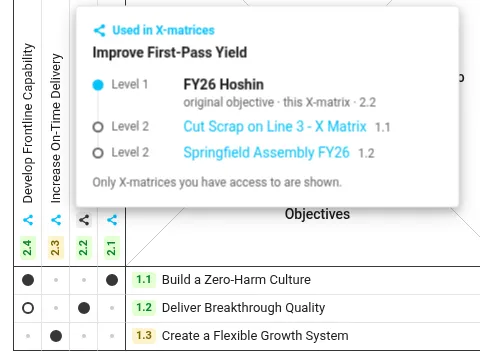
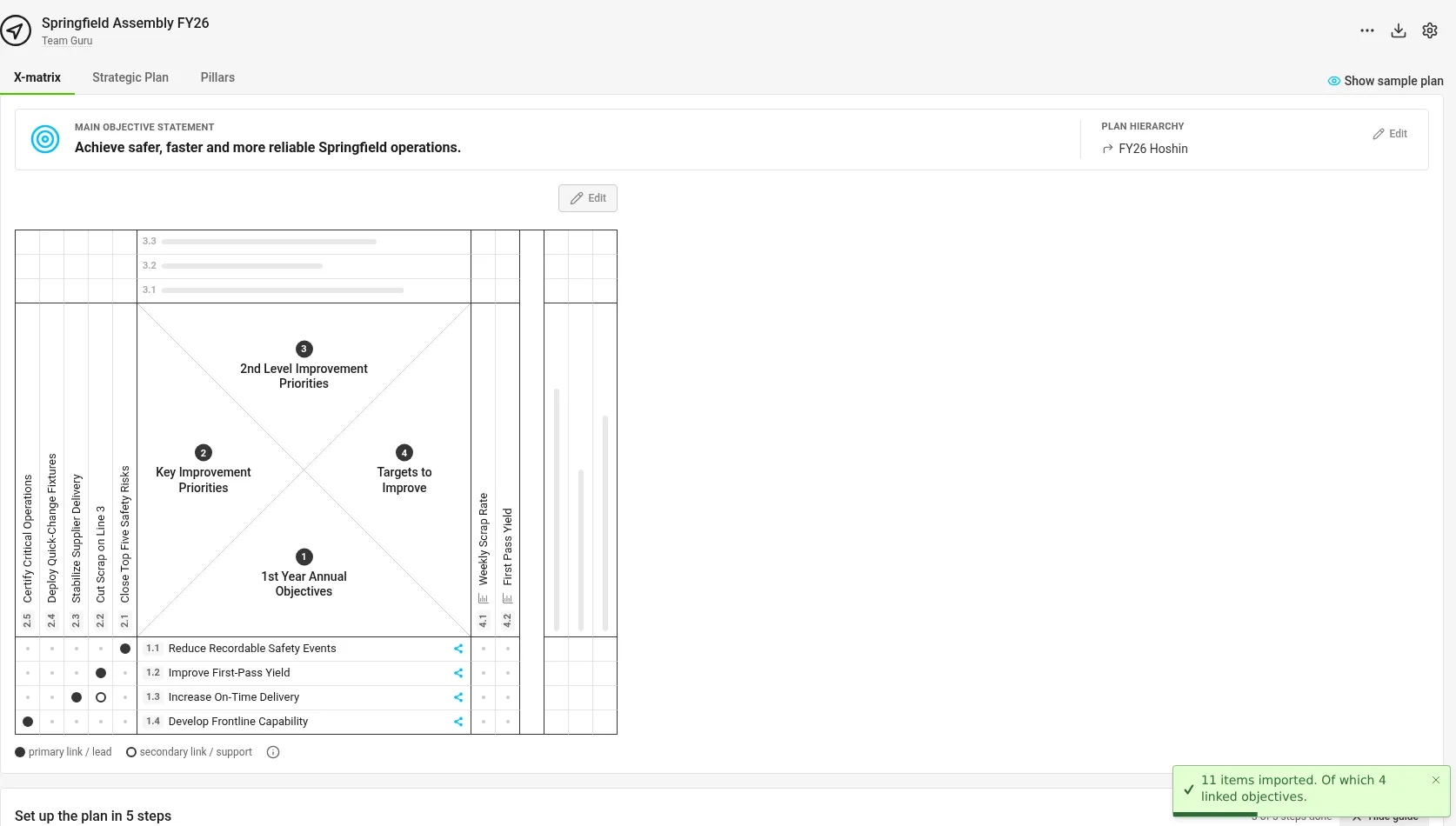
Linked objectives carry a share icon in the X-matrix, in the review sections, in the Strategic Plan and in the hover card. Click it to open Used in X-matrices: every X-matrix using the objective, ordered by level, with a link straight to each one. Moving between the levels of your strategy is now one click away.
Strategic Levels stay in sync
When you link objectives between two X-matrices that aren’t connected yet, TeamGuru offers to place the child X-matrix under the parent in Strategic Levels. Your plan hierarchy and your objectives tell the same story.
Safe by design
Only the name is shared. People who can see the target X-matrix see the names of the linked objectives and nothing else from the source X-matrix.
Rights are respected. Linking an objective, or renaming a linked one, requires edit rights on the X-matrix where the original objective lives. The Used in X-matrices panel lists only X-matrices you have access to.
Nothing gets lost by accident. When you delete a linked objective, you choose whether to remove it only from this X-matrix or from all X-matrices that use it. If an original objective disappears, the other X-matrices keep their local links and projects and show the item as Unavailable item.
Full history. Imports, links, unlinks and shared renames are recorded in the change history of the affected X-matrices.
Get started
Open any X-matrix, click … in its header and choose Copy objectives to another X-matrix…, Import objectives from another X-matrix… or Find matching objectives in other X-matrices….
For a step-by-step guide, see our support article How to link objectives between X-matrices.
Questions or feedback? Let us know. We’d love to hear how you cascade your strategy.