To really support your strategic and operational processes effectively you need to make sure that all relevant leadership data is linked together in a meaningful way.
Using the Related Documents function makes it possible to easily switch between documents you need, and thus saving your time you would waste browsing various folders looking for the important data.
To link documents (e.g. Strategic Plans, Metric Dashboards, Action Lists or Standardized Meetings) and create an integrated structure supporting your leadership processes and necessary decisions is really easy.
Simply go to a document edit screen and the Related Documents tab.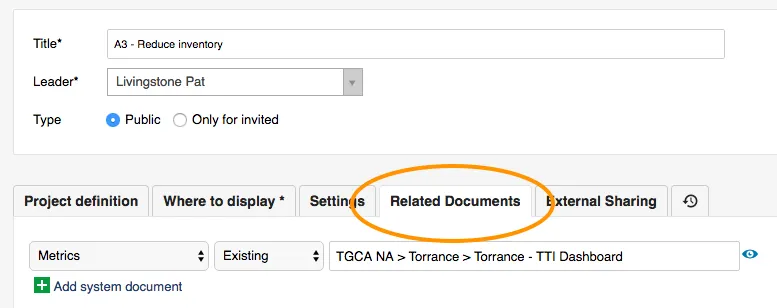
Select the required documents from various modules and choose one of the display options – either as a simple button at the top right corner of your screen, or as a button + a list under the document.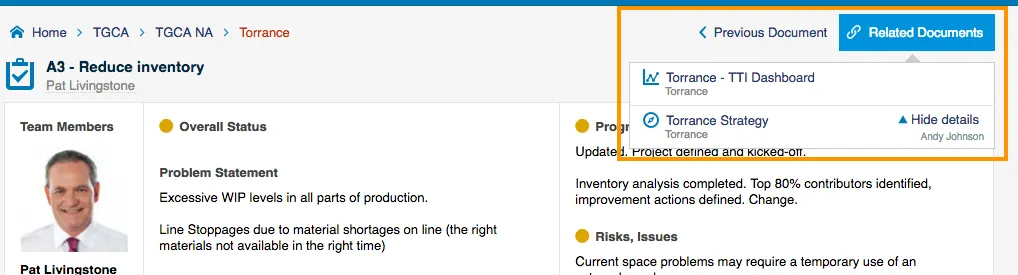
All your related documents get linked together and are available for quick access.
About the author

Pavel Humlicek
Co-founder & CEO of TeamGuru, with a background in Lean management consulting. Pavel reviews TeamGuru's management-system and operational-excellence content for practical accuracy and applicability.