Easily Replicate Advanced Metric Settings
Enter the time warp of light speed dashboard updates.
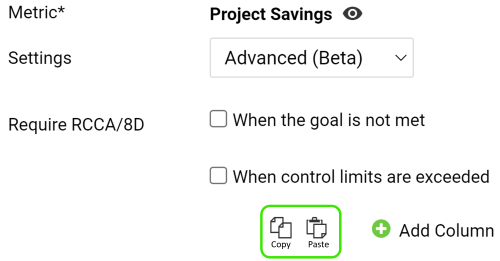
Minutes will now become seconds as you copy over advanced metric settings to all metrics in your dashboard. Look for the Copy/Paste icons shown below in your dashboard metric settings. Now the big question; "What will you do with all that extra time?"

Gain Clarity with Year-to-Date View
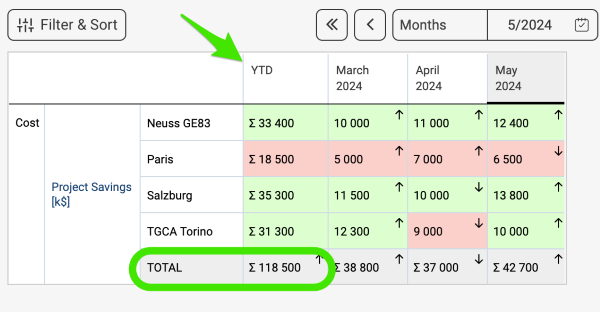
Another great feature in the Metric Dashboard module is the ability to view the Year-To-Date values in the Summary row of your dashboard. Of course, this includes Month & Quarter to date summary view as well.
Secure Report Updates with Locking
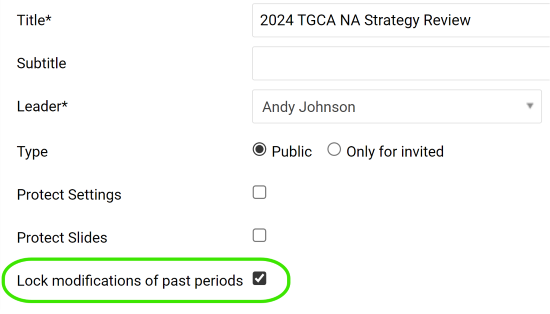
Maintain previous slide versions by locking past periods of your report. This enhancement locks the ability to modify slide settings for periods in the past.
Quickly Locate Organizational Units
Focus on the right Organization Folder
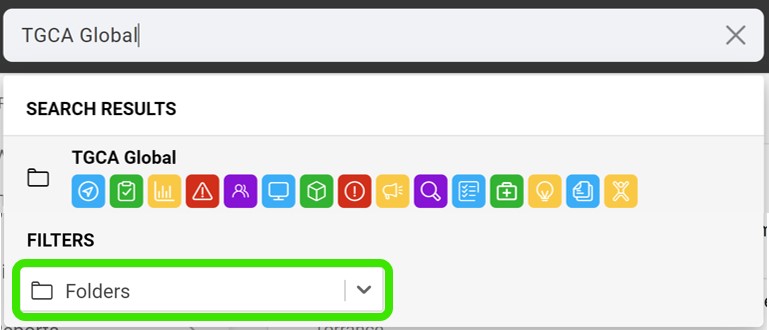
Global search now includes the ability to search for specific documents within a folder. Simply select "Folders" from the Global Search filter, and quickly navigate to the organizational unit where your documents are located.
Access All Documents in One Place
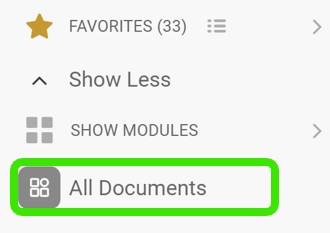
Explore and manage all your documents across all modules in one unified view . Look for the "All Documents" icon, shown below, at the bottom of the left panel menu, and take a short cut to your destination.
Are you ready to give these enhancements a try?
Right on! Our team is ready to answer your questions or assist whenever you need it.