Incident Date Matters
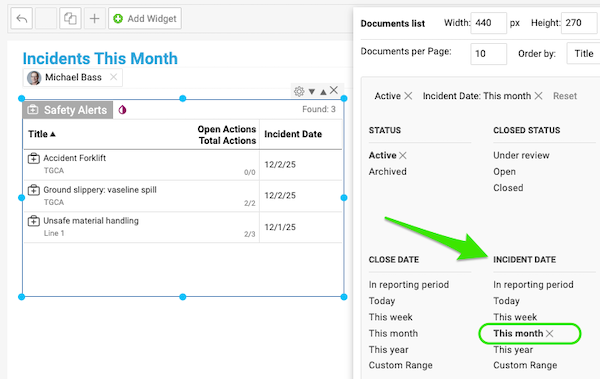
A new feature lets you easily view safety alerts in your report, organized by Incident Date. Want to focus only on incidents happening this month? No problem—you can filter the report to see just the alerts relevant to this timeframe, making it simpler to stay on top of safety issues.

Current Project Phases
Viewing your current project’s phases in the Metrics Dashboard just became even better. You can see the full phases overview at a glance or focus more selectively by schedule or progress, whether you want a quick snapshot of where each phase stands or a deeper look at how your timeline is tracking helping you stay aligned.

Project's Offset Dates
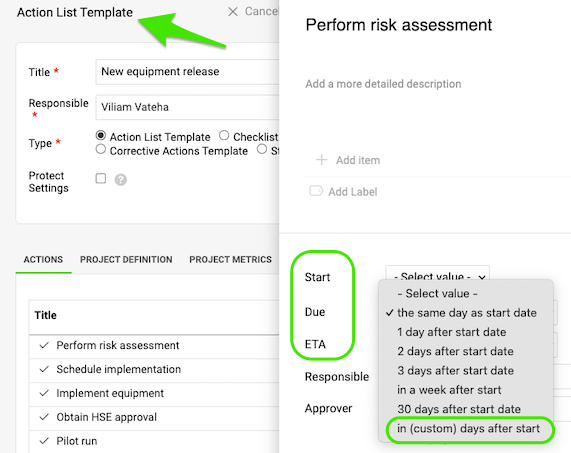
Setting up offset dates in the Action list template for Predecessors and Successors is now more flexible—and a bit more fun. You can choose a custom number of days for each connection, giving you full control over your project timelines.
Skill Matrix Names
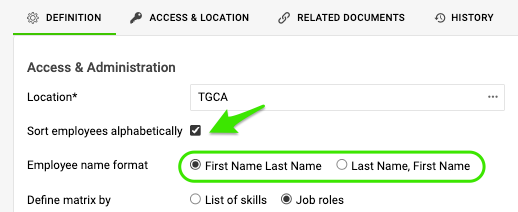
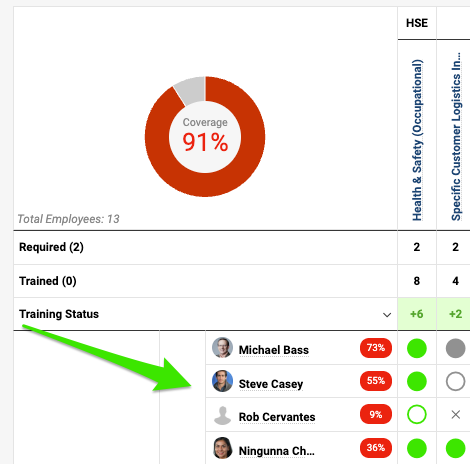
Want your employees listed by first name, last name, or reverse in the Skill Matrix? You decide—sort alphabetically by last name for a classic view, or keep it personal with first names leading the way. The choice is yours.
Are you ready to give these enhancements a try?
Right on! Our team is ready to answer your questions or assist whenever you need it.